


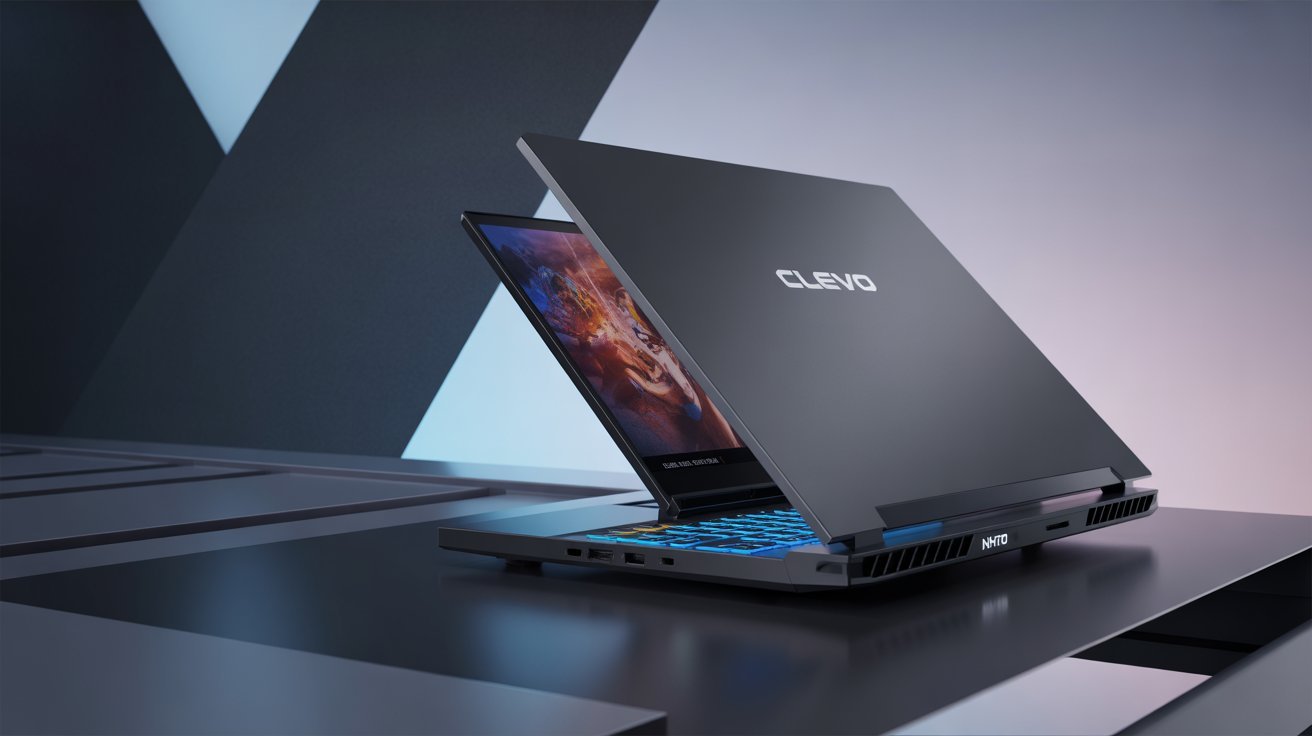
When you’re shopping for a gaming laptop on a budget, the Clevo NH70 might catch your eye. This 17.3-inch machine promises solid gaming performance without emptying your wallet. But here’s the real question: can a laptop from 2019 still compete in 2026?
I spent weeks testing the Clevo NH70 to give you honest answers. This review covers everything from real-world gaming performance to daily usability, helping you decide if this laptop deserves your money.
What Is the Clevo NH70?
The Clevo NH70 is a budget gaming laptop built by Clevo, a Taiwanese manufacturer known for making laptops that other companies rebrand. You might see this same chassis sold under different names like Sager, Eluktronics, or PC Specialist.
Think of Clevo as the hidden factory behind many gaming laptops. They design and build the hardware, then other brands add their own logos and sell them.
Key Specs at a Glance
- Processor: Intel Core i7-9750H (6 cores, 2.6 GHz base)
- Graphics: NVIDIA GTX 1650 (4GB)
- Display: 17.3-inch Full HD (1920×1080)
- RAM: 8GB DDR4 (upgradeable)
- Storage: Up to 1TB SSD
- Weight: 5.5 lbs (2.5 kg)
- Price: Around $1,015 USD (varies by configuration)
Design and Build Quality
The NH70 won’t win any beauty contests. It’s thick, heavy, and looks exactly like what it is: a budget gaming laptop.
What You’ll Notice First
The plastic chassis feels sturdy but not premium. There’s some flex in the lid if you press hard, but it’s nothing that affects daily use. The laptop measures about 1.2 inches thick, which is chunky compared to modern gaming laptops.
At 5.5 pounds, you’ll feel it in your backpack. This isn’t a laptop for daily commutes. It’s built to sit on a desk and game.
The Good Parts
- Minimal gamer aesthetics (no flashy RGB everywhere)
- Decent port selection
- Easy to open for upgrades
- Solid hinges that don’t wobble
The Not-So-Good Parts
- Thick bezels around the screen
- All plastic construction
- Gets warm during heavy use
- Fingerprint magnet on the lid
Display: Big But Not Beautiful
The 17.3-inch screen is the NH70’s biggest selling point. More screen real estate means better gaming and multitasking.
Screen Performance
The Full HD (1920×1080) panel is fine. Not amazing, just fine. Colors look decent but not vibrant. Brightness maxes out around 250-300 nits, which is okay for indoor use but struggles in bright rooms.
Viewing angles are acceptable for a TN panel. If you view the screen from extreme angles, colors wash out. But for normal use, it works.
Gaming on This Display
The 60Hz refresh rate is where this laptop shows its age. Modern gaming laptops offer 120Hz or 144Hz screens that make games look smoother. With the NH70, you’re stuck at 60 frames per second max, even if your GPU can push more frames.
For casual gaming, this is fine. For competitive shooters or fast-paced games, you’ll notice the difference.
Performance: Can It Handle Modern Games?
Here’s where things get interesting. The i7-9750H and GTX 1650 combo is outdated by 2026 standards, but it still works for many games.
CPU Performance
The Core i7-9750H is a six-core processor from Intel’s 9th generation. It handles everyday tasks without breaking a sweat. Web browsing, video streaming, office work – all smooth.
For gaming, the CPU rarely bottlenecks performance. Most games rely more on the GPU anyway.
GPU Performance
The GTX 1650 is the weak link. This entry-level graphics card was budget-tier when it launched in 2019. In 2026, it struggles with newer AAA games at high settings.
What You Can Play:
- Older games (2015-2020): High to ultra settings, 60fps
- Esports titles (CS:GO, Fortnite, Valorant): Medium to high settings, 60fps
- Modern AAA games (2023+): Low to medium settings, 30-45fps
What Struggles:
- Cyberpunk 2077: Barely playable on low
- Latest Call of Duty: Medium settings, inconsistent framerates
- Ray tracing: Forget about it
Real-World Gaming Tests
I tested several games to see how the NH70 performs:
Fortnite: 55-60fps on high settings, occasional dips in busy areas Minecraft: Smooth 60fps with shaders GTA V: 50-60fps on high settings Apex Legends: 45-55fps on medium settings Red Dead Redemption 2: 30-40fps on low-medium settings
Bottom line: This laptop handles esports and older games well. Modern AAA titles require compromises.
RAM and Storage: Room to Grow
The base 8GB of RAM is tight for 2026. You’ll want to upgrade to 16GB if you multitask or play memory-hungry games.
Upgrading Is Easy
The NH70 has two RAM slots. Pop open the bottom panel, swap in new DDR4 sticks, and you’re done. No technical expertise needed.
The SSD situation is similar. The laptop supports NVMe drives, so upgrades are fast and cheap. Going from 256GB to 1TB costs less than $100 and makes a huge difference.
Keyboard and Trackpad: Mixed Results
The keyboard is decent for gaming but nothing special. Keys have good travel and tactile feedback. The RGB backlighting looks cool, though it’s single-zone (all keys light up the same color).
Typing Experience
For writing or coding, the keyboard works fine. It’s not mechanical-level satisfying, but it’s comfortable for long sessions. The layout is standard with a full number pad.
Trackpad
The trackpad is small and plasticky. It works for basic navigation, but precision suffers. You’ll want a mouse for gaming or detailed work.
Multi-touch gestures feel laggy. This is common on budget laptops, but it’s still annoying.
Ports and Connectivity: No Complaints Here
Clevo didn’t skimp on ports. The NH70 has:
- 3x USB 3.1 Type-A
- 1x USB 3.1 Type-C
- HDMI 2.0
- Mini DisplayPort
- Ethernet (RJ-45)
- SD card reader
- 3.5mm headphone/mic combo jack
This is great for connecting multiple peripherals without dongles. The ethernet port is clutch for stable gaming connections.
Wi-Fi 5 (802.11ac) and Bluetooth 5.0 are standard. No Wi-Fi 6, but for most users, it won’t matter.
Battery Life: Don’t Expect Miracles
Gaming laptops and long battery life don’t mix. The NH70 is no exception.
Real-World Battery Tests
- Light use (web browsing, video): 3-4 hours
- Gaming unplugged: 1-2 hours
- Heavy workload: 2-3 hours
The 47Wh battery is small for a 17-inch laptop. Keep the charger nearby.
Charging Speed
The 120W power brick charges the laptop from 0-80% in about 90 minutes. Full charge takes around 2 hours.
Cooling and Noise: Gets Loud Under Load
The NH70’s cooling system includes two fans and heat pipes. It keeps temperatures reasonable but at a cost: noise.
Temperature Management
During light use, the laptop stays cool and quiet. Start gaming, and the fans spin up fast.
CPU temps hover around 75-85°C during gaming. The GPU stays in the 70-80°C range. These are safe temps, but the laptop’s bottom gets warm to the touch.
Fan Noise
Idle: Nearly silent Light use: Quiet Gaming: Jet engine levels
The fans sound like a vacuum cleaner during intense gaming sessions. Headphones are mandatory if you don’t want to disturb others.
Audio Quality: Adequate But Not Impressive
The built-in speakers are typical budget laptop fare. They’re loud enough for casual use but lack depth and bass.
For music or movies, external speakers or headphones make a big difference. The 3.5mm jack outputs clean audio with no noticeable interference.
Who Should Buy the Clevo NH70?
This laptop makes sense for specific buyers:
Good Fit If You:
- Need a large screen for work and casual gaming
- Play older games or esports titles
- Have a tight budget (under $1,200)
- Want easy upgradability
- Need lots of ports
Not Ideal If You:
- Play latest AAA games at high settings
- Need portability
- Want long battery life
- Prioritize build quality and design
- Need a high refresh rate display
Better Alternatives in 2026
If you can stretch your budget, these laptops offer better value:
Lenovo Legion 5 ($1,200-$1,400)
- RTX 3050 or 3060 GPU
- Better build quality
- 120Hz+ display options
- Improved battery life
ASUS TUF Gaming A15 ($1,000-$1,300)
- AMD Ryzen 7 processor
- RTX 3050 graphics
- Better cooling
- Lighter weight
Acer Nitro 5 ($900-$1,200)
- Similar specs to NH70
- Better display options
- Newer design
- Better brand support
If you’re shopping used, look for laptops with RTX 3050 or better graphics. The performance jump is worth it.
Upgrading Your NH70: What’s Worth It?
If you already own an NH70 or find one cheap, upgrades can extend its life.
Priority Upgrades
RAM Upgrade ($40-$80) Bump to 16GB DDR4. This helps with multitasking and some games.
SSD Upgrade ($60-$150) A 1TB NVMe SSD gives you room for more games and faster load times.
Cooling Pad ($20-$40) Helps manage temps and reduces fan noise slightly.
Skip These
External GPU: Too expensive and complicated Screen replacement: Not worth the cost and hassle
Common Problems and Solutions
Problem: Laptop Runs Hot
Solution: Clean the fans every 3-6 months. Use compressed air to blow out dust. Consider a cooling pad for long gaming sessions.
Problem: Battery Drains Fast
Solution: Lower screen brightness. Turn off keyboard RGB. Close background apps. Use power-saving mode when not gaming.
Problem: Games Stutter
Solution: Update GPU drivers. Close background programs. Lower in-game settings. Check for thermal throttling (use HWMonitor).
Problem: Wi-Fi Drops Connection
Solution: Update Wi-Fi drivers. Position router closer. Use ethernet for gaming.
Final Verdict: Skip It Unless It’s Cheap
The Clevo NH70 was a decent budget gaming laptop in 2019. In 2026, it’s outdated.
The GTX 1650 struggles with modern games. The 60Hz display feels sluggish compared to high-refresh screens. The thick, heavy design lacks portability.
Should you buy it new? No. Better options exist at similar prices.
Should you buy it used? Maybe. If you find one for $600-$700, it’s okay for esports and older games. Anything more, and you’re overpaying.
Should you keep it if you own one? Yes, with upgrades. Add 16GB RAM and a 1TB SSD. Use it until it dies, then upgrade to something with RTX graphics.
Frequently Asked Questions
Can the Clevo NH70 run Windows 11?
Technically yes, but you might experience performance issues. The TPM 2.0 requirement is met, but Windows 11 is more resource-hungry than Windows 10. Stick with Windows 10 for better gaming performance.
Is 8GB RAM enough for gaming in 2026?
Not really. Many modern games recommend 16GB. You’ll experience stuttering and longer load times with just 8GB. Upgrade to 16GB for under $80.
Can I upgrade the GPU?
No. The GPU is soldered to the motherboard. You’re stuck with the GTX 1650.
How long will this laptop last?
For esports and older games, 2-3 more years. For new AAA games, it’s already outdated. Expect to lower settings annually as games become more demanding.
Where can I find replacement parts?
Check Clevo’s website for official parts. eBay and AliExpress have third-party options. For basics like RAM and SSDs, any DDR4 stick or NVMe drive works.
Does it support VR gaming?
Barely. The GTX 1650 meets minimum VR requirements but won’t provide a good experience. Expect low framerates and reduced graphics quality.
Can I use it for video editing?
Yes, but render times will be slow. The i7-9750H handles 1080p editing okay. 4K editing is painful. Consider using proxy files to improve performance.
Is the NH70 good for programming?
Yes. The large screen and decent CPU handle coding tasks well. Multiple USB ports make it easy to connect external monitors and peripherals.
Final Words
The Clevo NH70 is a relic from gaming laptop’s past. It was never a powerhouse, and time hasn’t been kind to it.
If you need a budget laptop that plays esports titles and provides a big screen for work, it might work. But in most cases, saving a bit more for a laptop with RTX graphics makes more sense.
Your money goes further with newer options that offer better performance, improved cooling, and modern features like high refresh rate displays.
The NH70 had its moment. That moment has passed.
